
Janix Event Suite · Attendee networking
Everyone in the room,
and what you have in common.
Attendee networking in Janix Event Suite is your attendees’ private event network, from a dinner for forty to a conference for ten thousand. Only the people at the event are in it, and the event connections you make stay yours after it ends. Each attendee gets a profile they own and sees who else is there and what they share. The host sees how many connected, never who met whom.
The problem
A badge gets someone into the room.
It does not tell them who to talk to.
In 2010, our founder Scott Wilcox and his team at SXSW put QR codes on badges so attendees could scan each other and connect. Then people tried it: they were not logged in, they had forgotten their passwords, and the connection did not work. People get a few days together at an event, sometimes one evening, and every extra step eats into it. So attendee networking in Janix needs no app and no password.
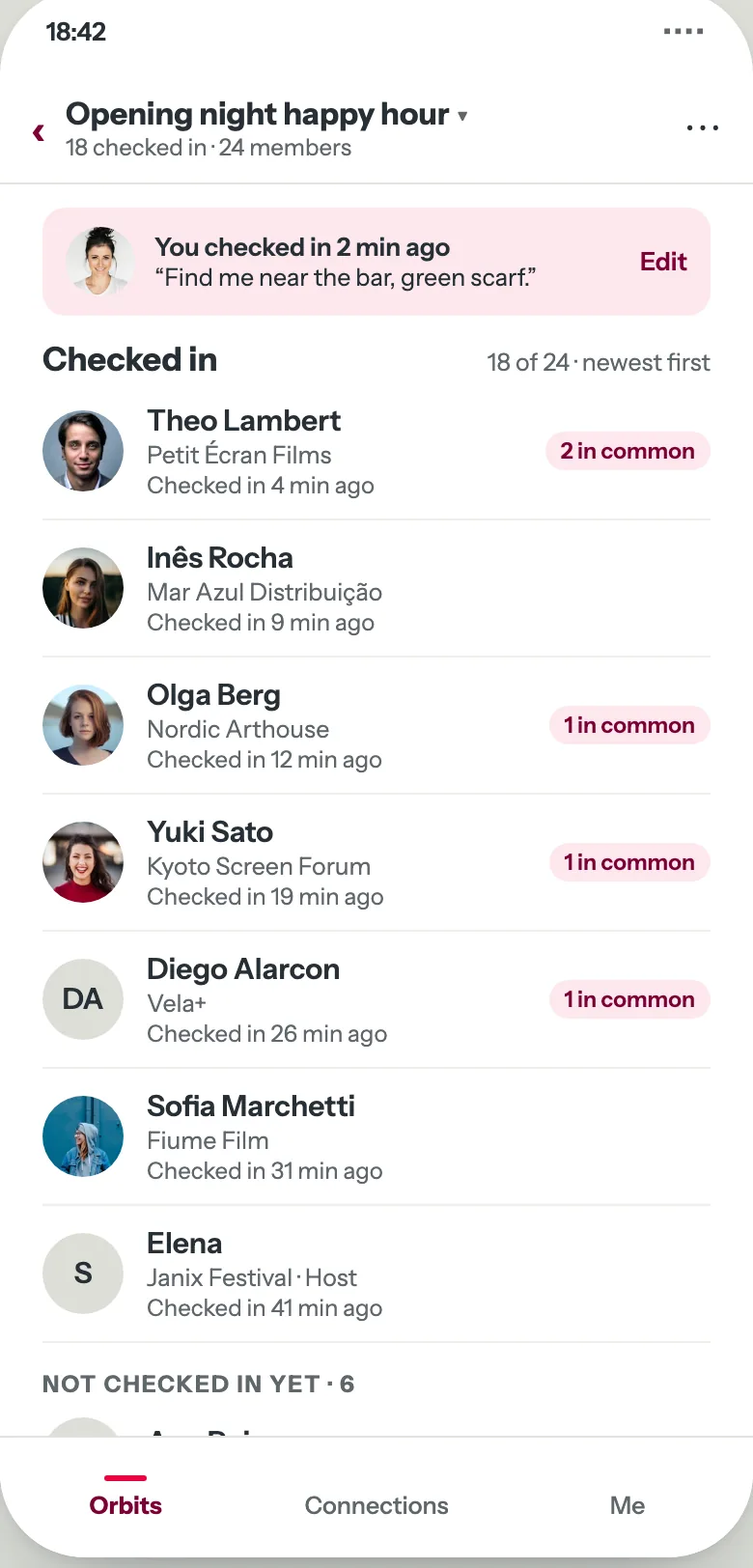
Most networking at an event is luck. Attendee networking replaces luck with a list: who is here, what you share with each of them, and something to say before you walk over.
Each gathering gets its own list: the conference, the dinner after it, the sponsor’s breakfast. Your attendees keep one profile across all of them.
For the attendee
From a link to a list of people you met.
- 01
Open the link
A link or a QR code at the venue opens it. An email link signs you in. No app, no password.
- 02
Make your profile once
Photo, name, role, company, a line on your background and goals, and your talking points. It is yours, and it comes with you to the next event.
- 03
Check in and see who is here
Everyone who has checked in, newest first, with a note on where to find them if they left one.
- 04
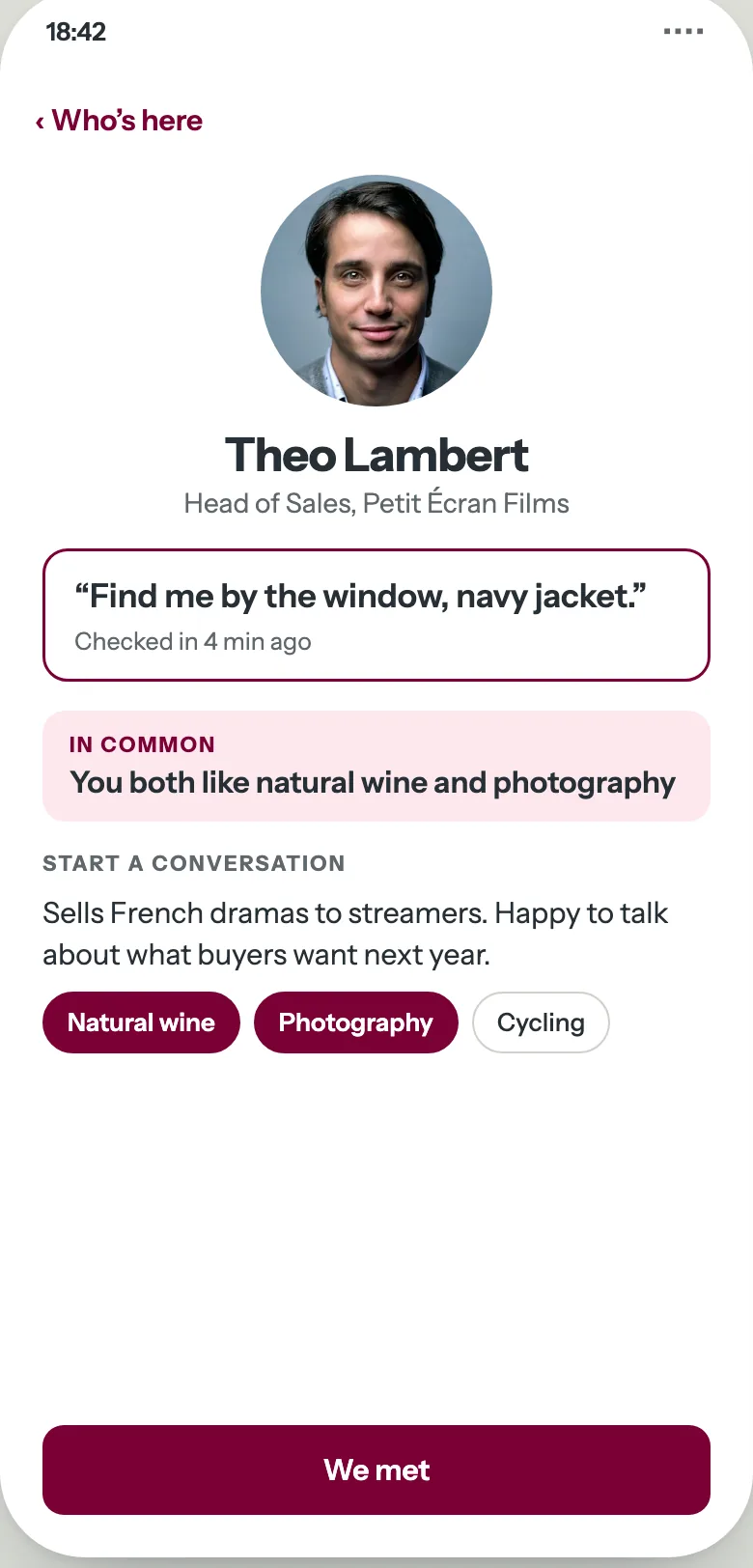
Open a person’s card
What you have in common comes first, then their background and goals.
- 05
Tap We met
When you both confirm, you swap contact details. They are saved on your Connections list with where you met and a note only you see.
- 06
Say how it went
Helpful, neutral or not helpful. The other person never sees it. It counts toward the host’s totals.
For the host
Counts. Never who met whom.
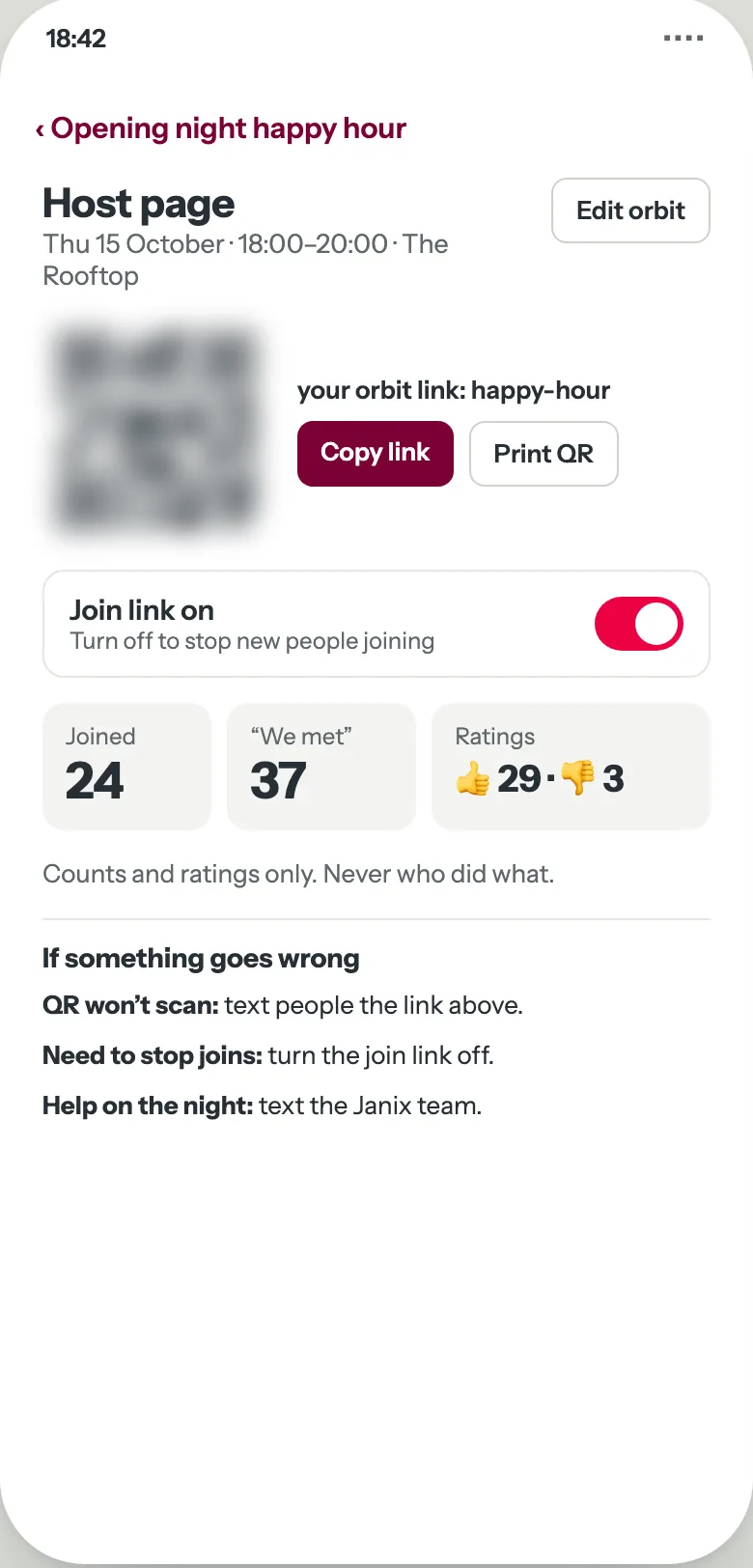
Every gathering has one link and one QR code. Share the link, print the card, and the guest list fills itself.
You see who joined, how many met, and how it was rated. Never who met whom, never what anyone wrote.
Nobody can see an attendee until they save a profile. No dietary, accessibility or health data, ever.
Where it works
A dinner for forty, or a festival of thousands.
Dinners, meetups and activations
The whole room on one list, and something to say to everyone in it.
Networking for small events →Conferences and festivals
Thousands of people, and the ones worth meeting. Janix suggests who to meet and why, then sets up the meeting at a time you are both free.
Networking for conferences and festivals →Run a separate list for each gathering: the conference, a partner dinner, a sponsor’s breakfast. One profile across all of them, and Connections grouped by event.
How you get it
Part of Janix Event Suite.
Attendee networking is included, with no limit, in Portfolio and Enterprise. Janix sets it up with you: a readable link and a QR code.
Tell us about your event.
The rooms inside it, and who is in them. We will show you attendee networking on an event like yours.