
Attendee networking · Conferences and festivals
Thousands of people.
Find the ones worth meeting.
At a conference of thousands, working out who to talk to is hard. Janix shows every attendee who is here and what they have in common, suggests who to meet and why, and sets up the meeting at a time that works for both. When both confirm they met, they swap contact details.
For the attendee
From the door to the follow-up.
- 01
Scan and join
Scan the QR code at the door or open the link. An email link signs you in. No app, no password.
- 02
One profile
Photo, name, role, company, background and goals, and talking points. The same at every event you join, and you can delete it any time.
- 03
Check in
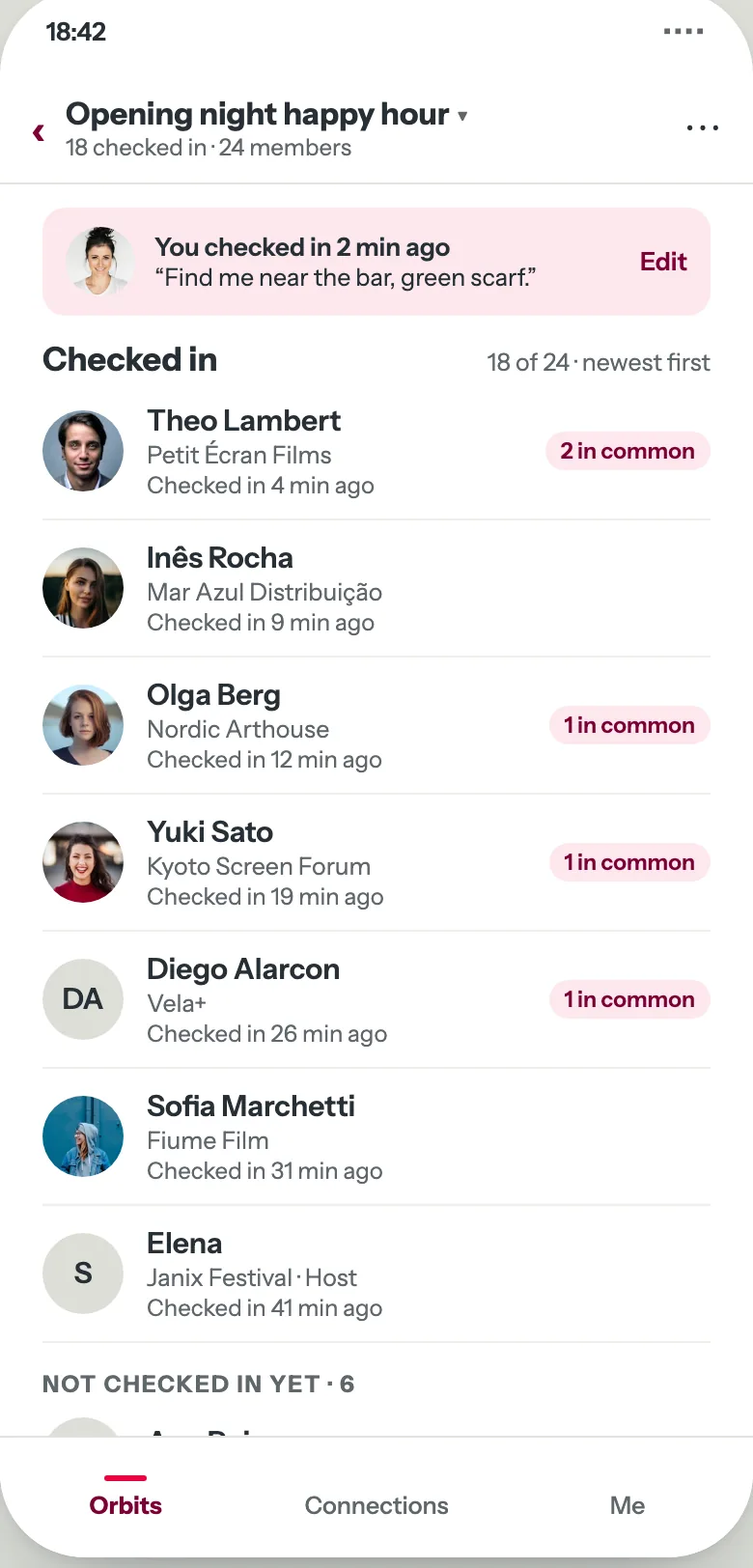
Add a line so people can find you: “By the bar in a blue jacket.” Who’s here lists everyone checked in, newest first.
- 04
Know who to talk to
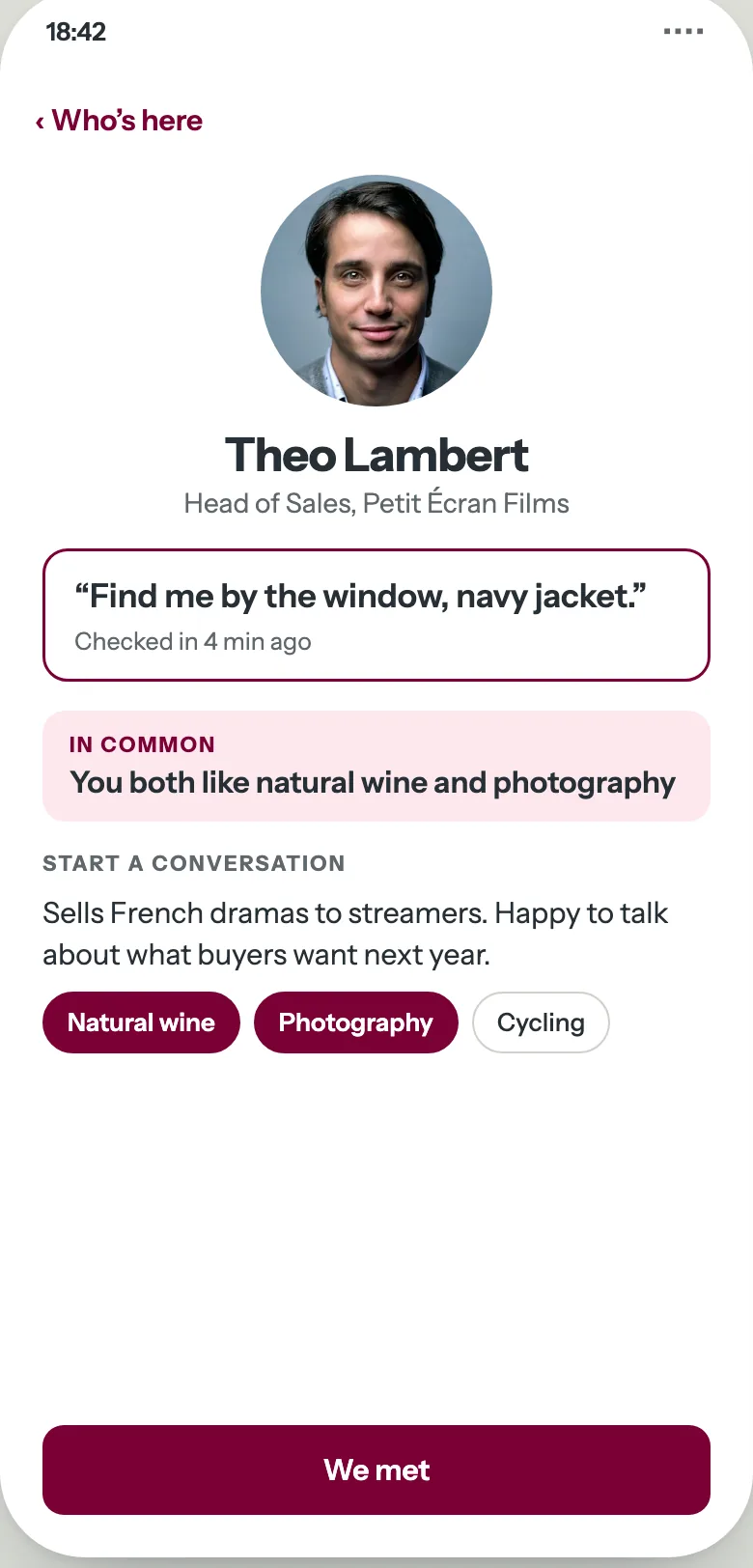
Each card leads with what you have in common, then conversation starters from their background, goals and talking points.
- 05
Your matches
Janix suggests who to meet, with the reason for each person. Save the ones you want to come back to.
- 06
Ask to meet
Janix offers only times you are both free, with a place to meet. They accept, suggest another time or decline, and an accepted meeting sends you both a calendar invite.
- 07
Say hello
Send a checked-in person a short note: “I’m by the bar, come say hi.” Block anyone, any time.
- 08
We met
Rate it and add a note only you see. When you both confirm, you swap contact details, saved on your Connections list with where you met.
For the organizer
One QR code at the door.
Totals, never who met whom.
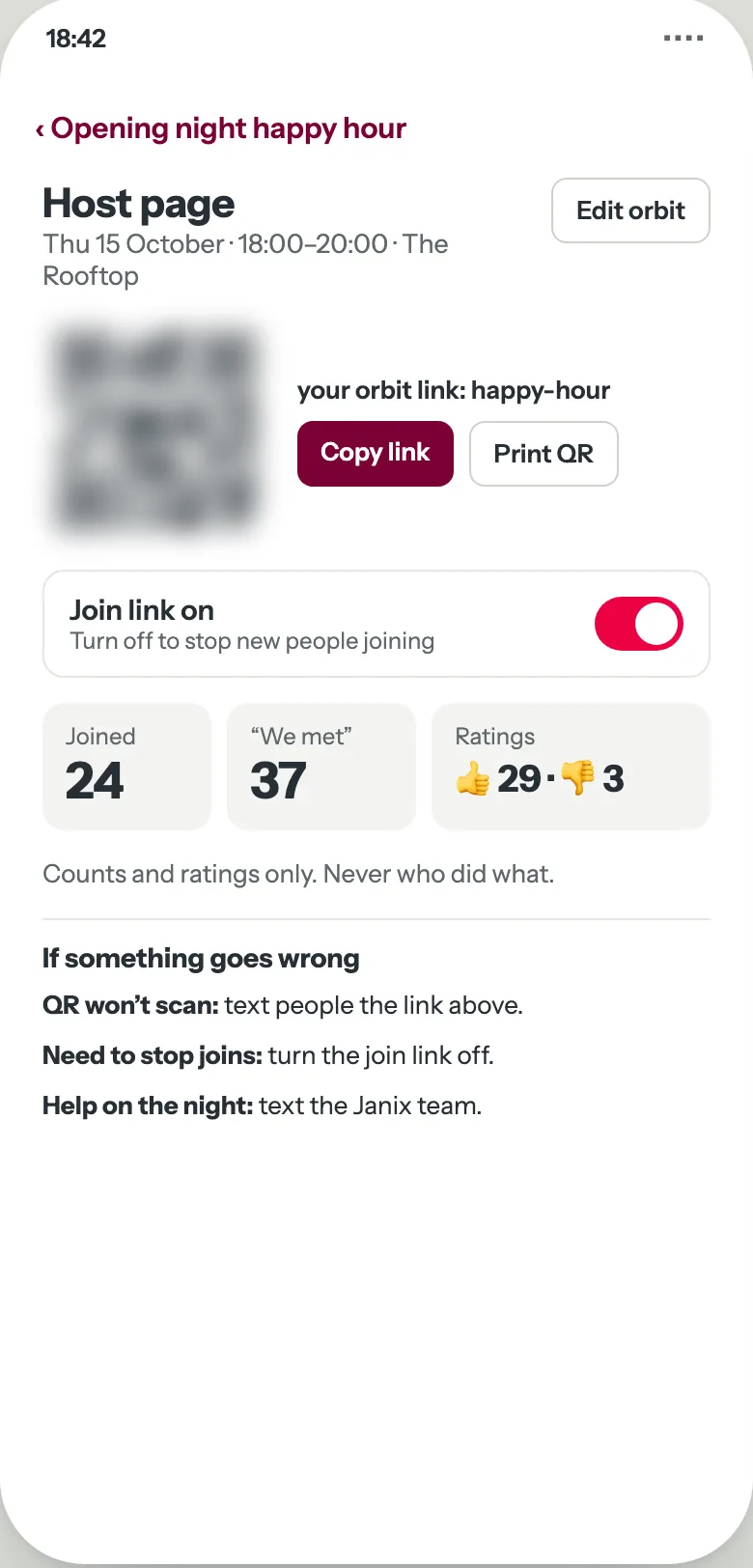
Janix sets it up with you: the name, the date and times, a short description and a readable link. Hold up a full-screen QR code or print the room card, and open or close joining with one switch. Name the places to meet, such as Table 1 to 6 or the garden lounge, and turn on meeting requests when you are ready.
You see the guest list and live totals for check-ins, We met and ratings. Never private notes, messages, anyone’s contact details, or who met whom.
One list for each gathering
The conference, the dinner,
the breakfast.
Run a separate list for each gathering. Attendees switch between them from one menu and keep one profile, and their Connections are grouped by event.
How you get it
Part of Janix Event Suite.
Attendee networking is included, with no limit, in Portfolio and Enterprise.
Tell us about your conference or festival.
We will show you attendee networking on an event like yours.