
Janix Orbit · Dinners, meetups and activations
A room list,
and an opener for everyone in it.
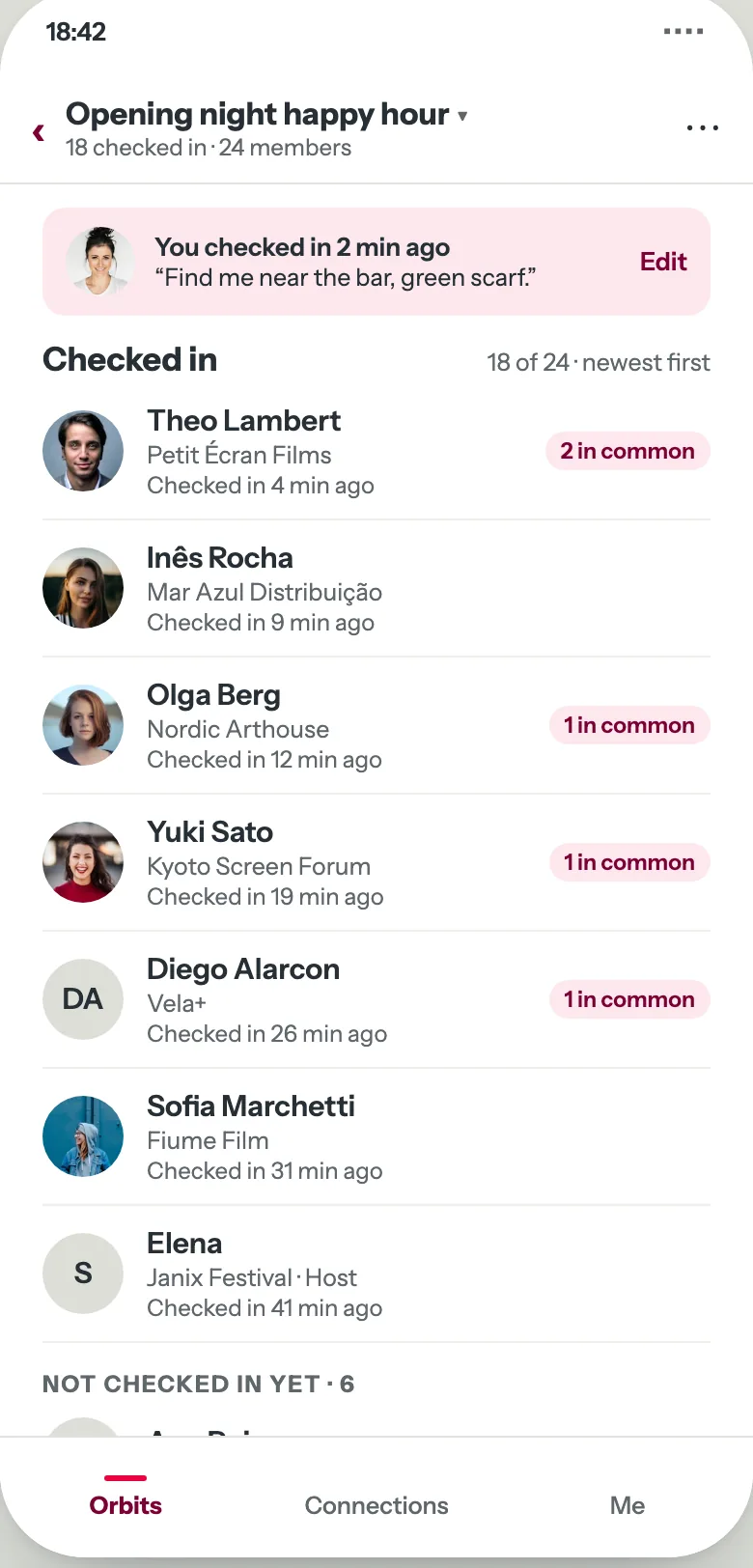
“There is Theo. He likes natural wine and photography. You have something to talk about.” Janix Orbit gives everyone at a small gathering inside your event the list of who is there and what they share with each person. People walk up to each other with something to say. Nothing is ever sent for them.
Where it runs
The small rooms around your event.
- A sponsor’s dinner inside your festival
- A breakfast on the expo floor
- A chapter meetup during the annual meeting
- The evening after a partner summit
Every one of them is an orbit inside your event, and your attendees keep one profile across all of them.
For the people in the room
Seven steps, start to finish.
- 01
Sign in by email
One field, one link. No password, no app to install.
- 02
Fill in your profile
Photo first, then name, role, company, a line on your background and goals, and your talking points.
- 03
Join the orbit
The host’s link or the QR code at the venue. Say whether you are going.
- 04
Check in at the event
Checking in tells people you are here and shows you who else is. Add a line: “Find me near the bar, green scarf.”
- 05
Open a person’s card
Each card leads with what you share, then their background and goals. Walk over.
- 06
Tap We met
We met, a rating, and a note only you see. When you both confirm, you swap contact details.
- 07
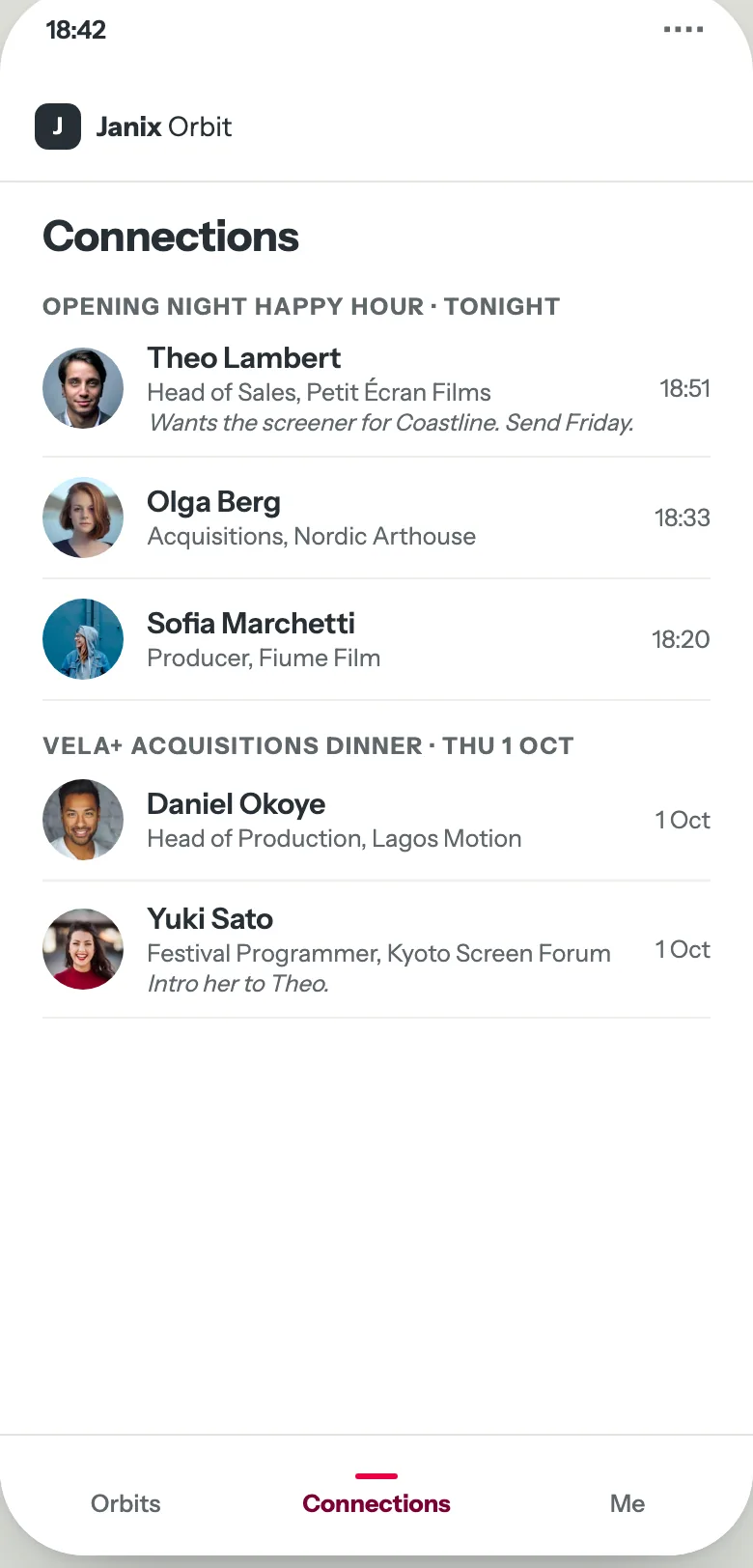
See your Connections
Everyone you met, grouped by the orbit where you met them. The list is yours and stays after the event.
For the host
One link, one QR code, three numbers.
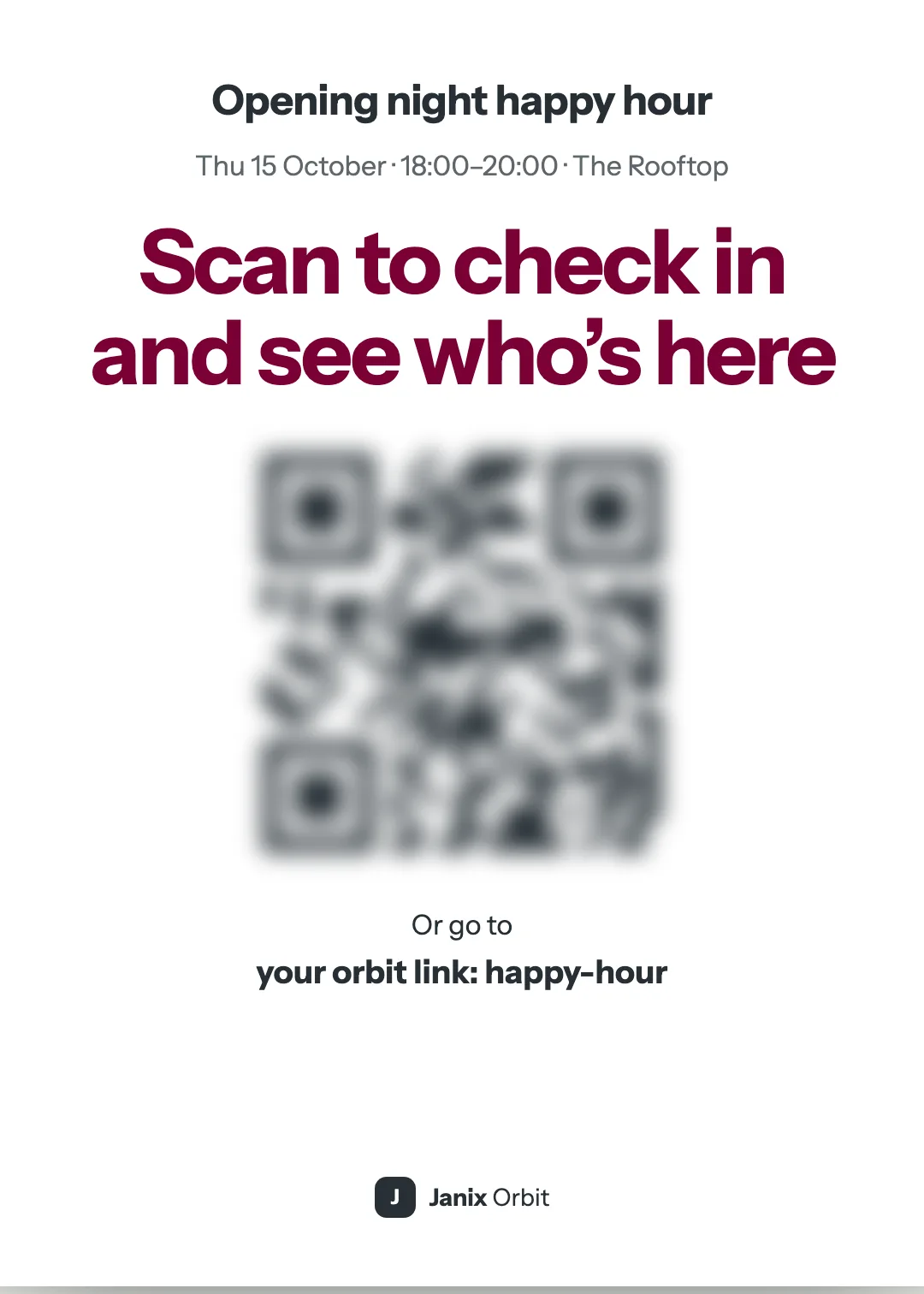
Share the link by text or email, or print the room card: Scan to check in and see who’s here. Everyone who says they are going is on your guest list. Turn the link off to close joining.
During the night you see three numbers: check-ins, We met, and ratings. Counts and ratings only. Never who met whom.
If the QR code will not scan, text people the link.
Privacy, in plain terms
Your attendees can see the rules as clearly as you can.
- Nobody can see an attendee until they save a profile.
- A profile shows only inside the orbits a person joins, and it is the same in every one. Delete it and the person comes off every list.
- The host sees who joined and the counts, never who met whom and never what anyone wrote.
- No dietary, accessibility or health fields, ever.
Inside a bigger event
Your room is your guest list.
Each gathering is its own orbit. People are in yours only when they are in your room. Attendees switch between their orbits from one menu and keep one profile across all of them. Their Connections are grouped by event.
Tell us about your event and the rooms inside it.
The dinner, the breakfast, the meetup. We will show you what each one looks like as an orbit, on a phone, in a noisy room.